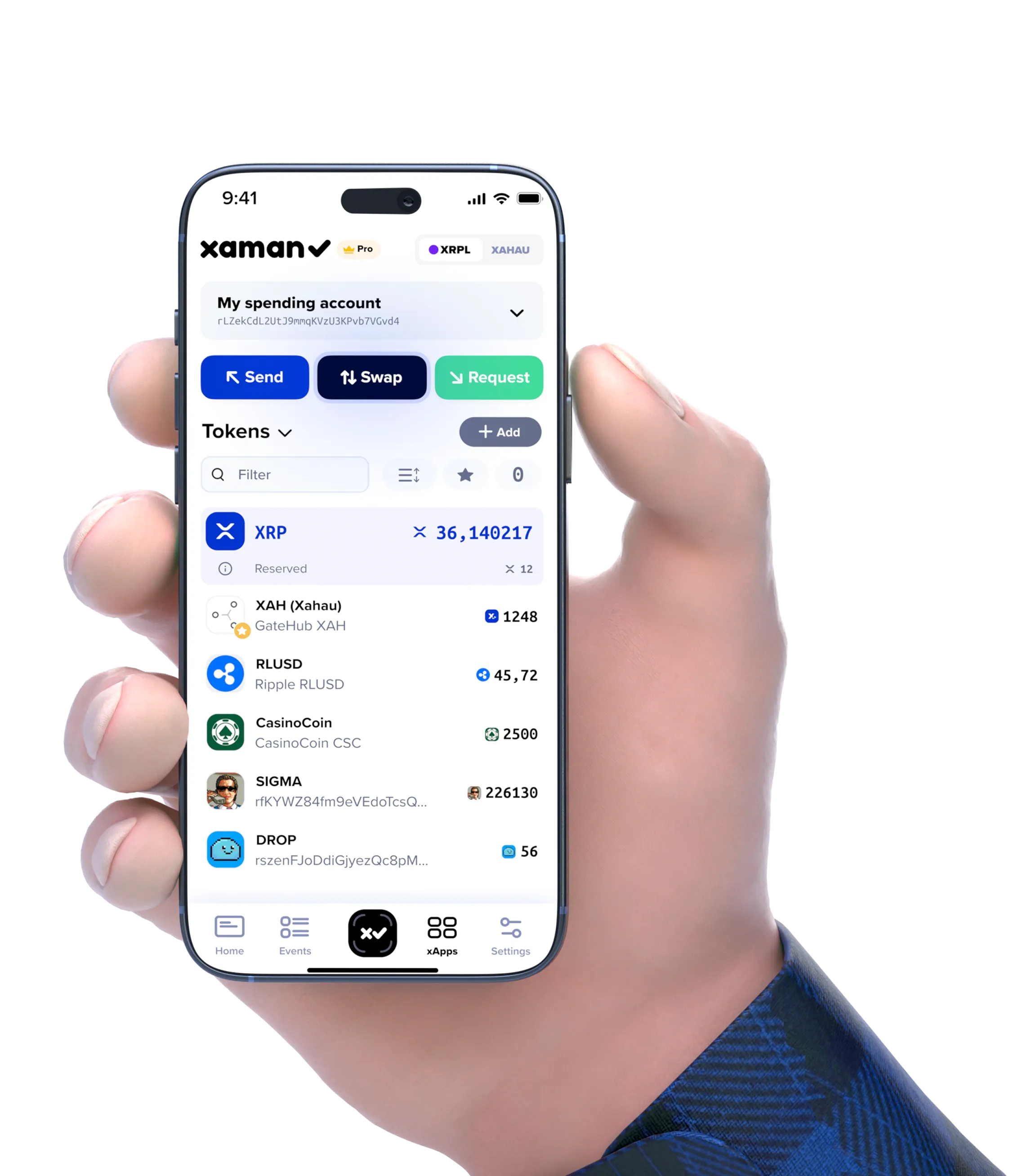
It also refreshes the xApp directory, adds a flashlight to the QR scanner, and tightens the review screen for swaps so you always know exactly what you pay and what you receive.
Every Xaman Tangem card ships as a set for a reason: the second card is your backup. If the original is ever lost or damaged, the backup keeps full access to the account.
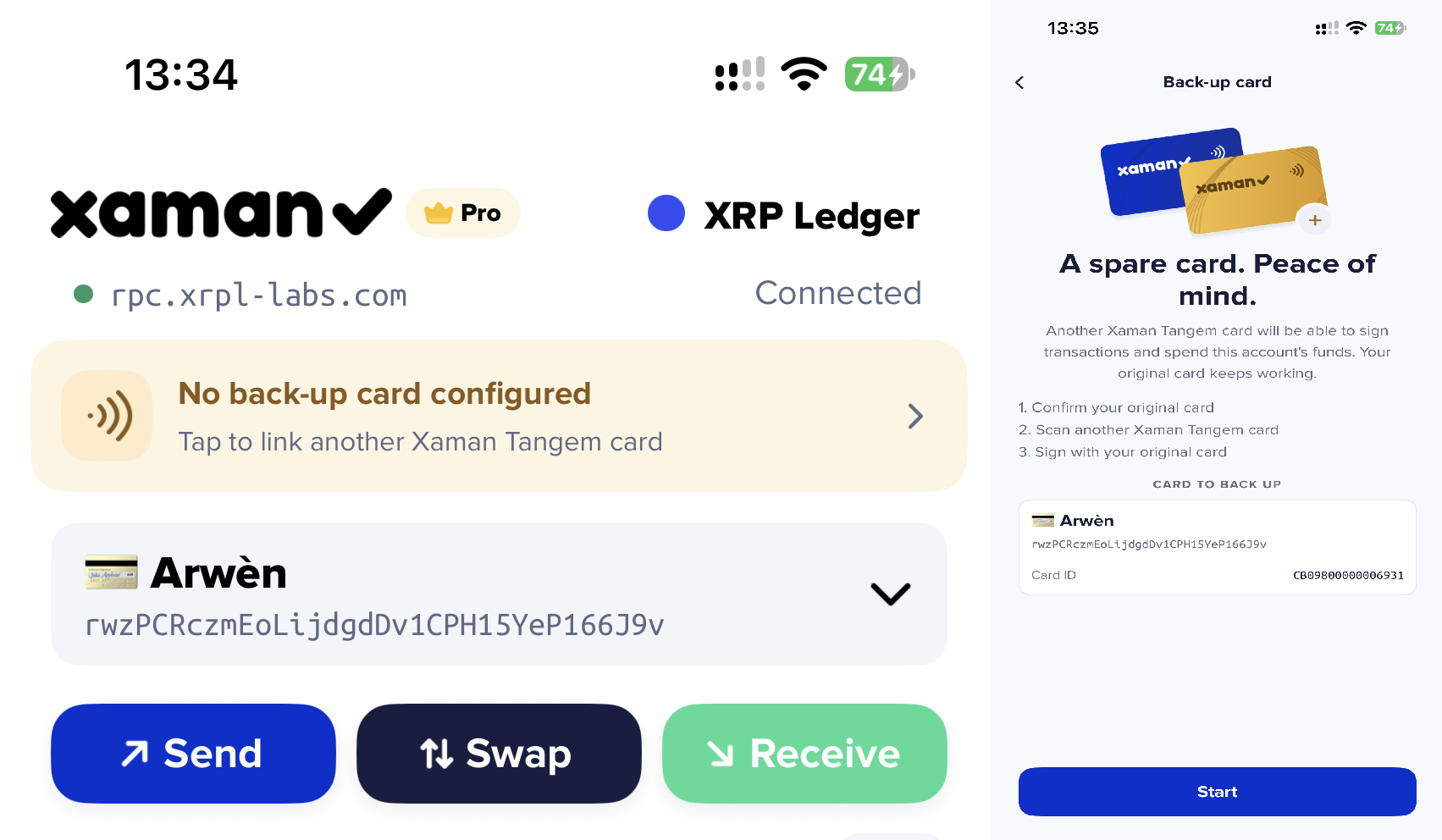
Go to Settings > Accounts, select your Tangem card account, and set up the backup card from there. Xaman walks you through it step by step: scan the backup card, approve the link with your original card, and wait while the network confirms it. No funds need to be added to the backup card.
From the same screen you can now also:
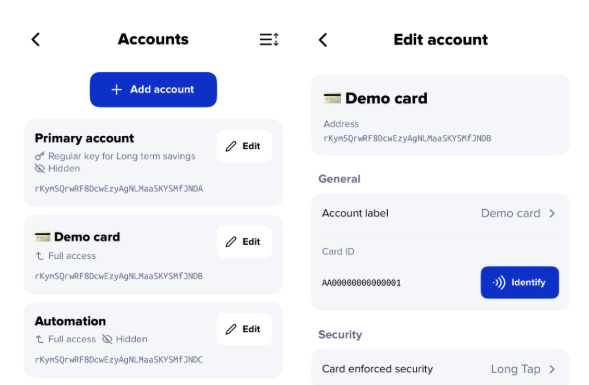
If you own a Xaman Tangem card and have never set up your backup, this is the release to do it. A backup card is the difference between a lost card and a lost account.
Sign requests that involve an account or object reported as a possible scam now carry stronger, clearer warnings, and a prominent Reject button so the safe choice is the easy one.
Behind the scenes, 5.4.0 also tightens how these checks run. The accept slider stays disabled until the scam lookup has finished for the account that will actually sign, so a result for one account can never be applied to another. Warnings about sensitive transaction types are now separated from warnings about reported scams, so each says exactly what it means.
Robert Kiuru, COO of XRPL Labs:
"Most losses in self-custody do not come from broken cryptography. They come from a person being talked into signing something. Every release we make that moment clearer. In 5.4.0 the warning is louder and the way out is one tap."
On Android, Xaman now requires strong biometrics for the biometric prompt, makes the vault more durable through interrupted writes and process kills, and enforces the complete passcode cooldown interval between attempts. Extra platform security features are enabled, making Xaman on Android more secure than it has ever been.
Across both platforms, xApps are more tightly walled off from the rest of Xaman. Each xApp now only receives the information it needs to work with your account, and only on its own domain.
An xApp cannot pop up its own dialogs pretending to be Xaman, and cannot send you to places on your phone it has no business opening.
None of this changes how you use Xaman. We work every day to build the most secure experience in crypto.
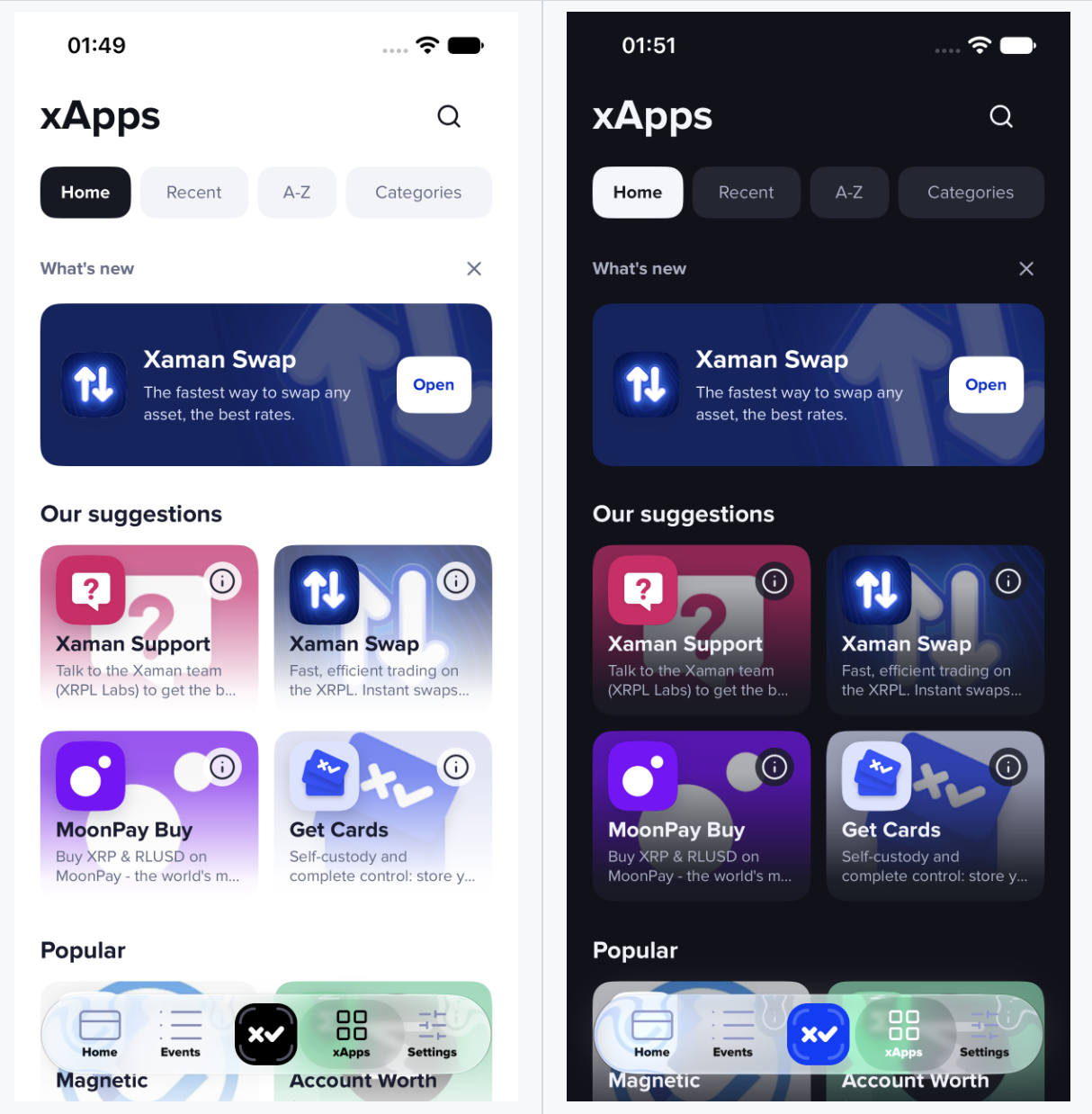
The xApp directory has a new look. Tiles take their color from each xApp's own icon, headers and surfaces match the rest of the app, and automatic refreshes no longer move the list while you are scrolling it.
xApps also now receive Xaman's light or dark mode as a standard signal, so an xApp can follow your theme without any extra work from its developer.
The XRP Ledger and Xahau keep adding new transaction types and new fields. Until now, each one needed its own purpose-built review screen in Xaman before you could sign it, and until that screen existed, the feature was out of reach.
5.4.0 changes that. Xaman now reads the live definitions published by the network itself and uses them to review and sign supported transaction types and fields, even ones we have not built a dedicated screen for yet.
You still see everything before you sign: the full values, including nested data and raw hex where that is what the transaction contains. And where Xaman cannot yet explain what a field means, it tells you so, with a clear warning, rather than hiding it.
In practice: when a new feature goes live on the ledger, you can start using it in Xaman without waiting for us to design a custom screen for every last field. Nothing gets signed blind, and nothing gets held back.
QR scanner flashlight. A flashlight toggle on the scan screen, for the moments when the QR code is in a dark room or on a dim screen.
Swap review. The review screen for a swap is clearer about what you pay and what you receive. Partial payments show the minimum you will receive first. And a service fee is now only charged when a trade actually moved value, never on a swap that did nothing.
xApp account and network switching. When an xApp asks for a specific account or network, for example a switch from the XRP Ledger to Xahau, Xaman now switches more consistently, including when the request arrives through a push notification.
Translations. Every language has been reviewed for shorter, more natural, localized wording.
Stability and usability. Dozens of smaller fixes, including Settings alignment, account reordering, the escrow condition on review screens, and a connection to the network that never gives up.
Xaman 5.4.0 is a phased release. It is rolling out gradually on the App Store and Google Play over the course of this week, so if the update is not showing for you yet, it is on its way. No action is needed on your side.
Once you have it: if you hold a Xaman Tangem card, open Settings > Accounts and confirm your backup card is set up.
As always, feedback helps shape the next releases. If you run into issues or notice anything off, report it via the Xaman Support xApp.
It also refreshes the xApp directory, adds a flashlight to the QR scanner, and tightens the review screen for swaps so you always know exactly what you pay and what you receive.
Every Xaman Tangem card ships as a set for a reason: the second card is your backup. If the original is ever lost or damaged, the backup keeps full access to the account.
Go to Settings > Accounts, select your Tangem card account, and set up the backup card from there. Xaman walks you through it step by step: scan the backup card, approve the link with your original card, and wait while the network confirms it. No funds need to be added to the backup card.
From the same screen you can now also:
If you own a Xaman Tangem card and have never set up your backup, this is the release to do it. A backup card is the difference between a lost card and a lost account.
Sign requests that involve an account or object reported as a possible scam now carry stronger, clearer warnings, and a prominent Reject button so the safe choice is the easy one.
Behind the scenes, 5.4.0 also tightens how these checks run. The accept slider stays disabled until the scam lookup has finished for the account that will actually sign, so a result for one account can never be applied to another. Warnings about sensitive transaction types are now separated from warnings about reported scams, so each says exactly what it means.
Robert Kiuru, COO of XRPL Labs:
"Most losses in self-custody do not come from broken cryptography. They come from a person being talked into signing something. Every release we make that moment clearer. In 5.4.0 the warning is louder and the way out is one tap."
On Android, Xaman now requires strong biometrics for the biometric prompt, makes the vault more durable through interrupted writes and process kills, and enforces the complete passcode cooldown interval between attempts. Extra platform security features are enabled, making Xaman on Android more secure than it has ever been.
Across both platforms, xApps are more tightly walled off from the rest of Xaman. Each xApp now only receives the information it needs to work with your account, and only on its own domain.
An xApp cannot pop up its own dialogs pretending to be Xaman, and cannot send you to places on your phone it has no business opening.
None of this changes how you use Xaman. We work every day to build the most secure experience in crypto.
The xApp directory has a new look. Tiles take their color from each xApp's own icon, headers and surfaces match the rest of the app, and automatic refreshes no longer move the list while you are scrolling it.
xApps also now receive Xaman's light or dark mode as a standard signal, so an xApp can follow your theme without any extra work from its developer.
The XRP Ledger and Xahau keep adding new transaction types and new fields. Until now, each one needed its own purpose-built review screen in Xaman before you could sign it, and until that screen existed, the feature was out of reach.
5.4.0 changes that. Xaman now reads the live definitions published by the network itself and uses them to review and sign supported transaction types and fields, even ones we have not built a dedicated screen for yet.
You still see everything before you sign: the full values, including nested data and raw hex where that is what the transaction contains. And where Xaman cannot yet explain what a field means, it tells you so, with a clear warning, rather than hiding it.
In practice: when a new feature goes live on the ledger, you can start using it in Xaman without waiting for us to design a custom screen for every last field. Nothing gets signed blind, and nothing gets held back.
QR scanner flashlight. A flashlight toggle on the scan screen, for the moments when the QR code is in a dark room or on a dim screen.
Swap review. The review screen for a swap is clearer about what you pay and what you receive. Partial payments show the minimum you will receive first. And a service fee is now only charged when a trade actually moved value, never on a swap that did nothing.
xApp account and network switching. When an xApp asks for a specific account or network, for example a switch from the XRP Ledger to Xahau, Xaman now switches more consistently, including when the request arrives through a push notification.
Translations. Every language has been reviewed for shorter, more natural, localized wording.
Stability and usability. Dozens of smaller fixes, including Settings alignment, account reordering, the escrow condition on review screens, and a connection to the network that never gives up.
Xaman 5.4.0 is a phased release. It is rolling out gradually on the App Store and Google Play over the course of this week, so if the update is not showing for you yet, it is on its way. No action is needed on your side.
Once you have it: if you hold a Xaman Tangem card, open Settings > Accounts and confirm your backup card is set up.
As always, feedback helps shape the next releases. If you run into issues or notice anything off, report it via the Xaman Support xApp.